Translate PDF into 100+ languages — columns, tables and fonts stay in place
Drop a PDF, pick a target language, and download a PDF that looks like the original — only the words have changed. We use in-place redaction plus font subsetting, so columns, tables and hyperlinks survive intact.
Drag & drop a PPT, Word (.docx), or PDF here, or click to browse
Free trial · No signup · No credit cardMax 100 MB · Files are deleted within 24 hoursUsed daily for whitepapers, contracts, research reports, manuals and product datasheets.
No file handy? See live samples →Translated. Still looks like the original.
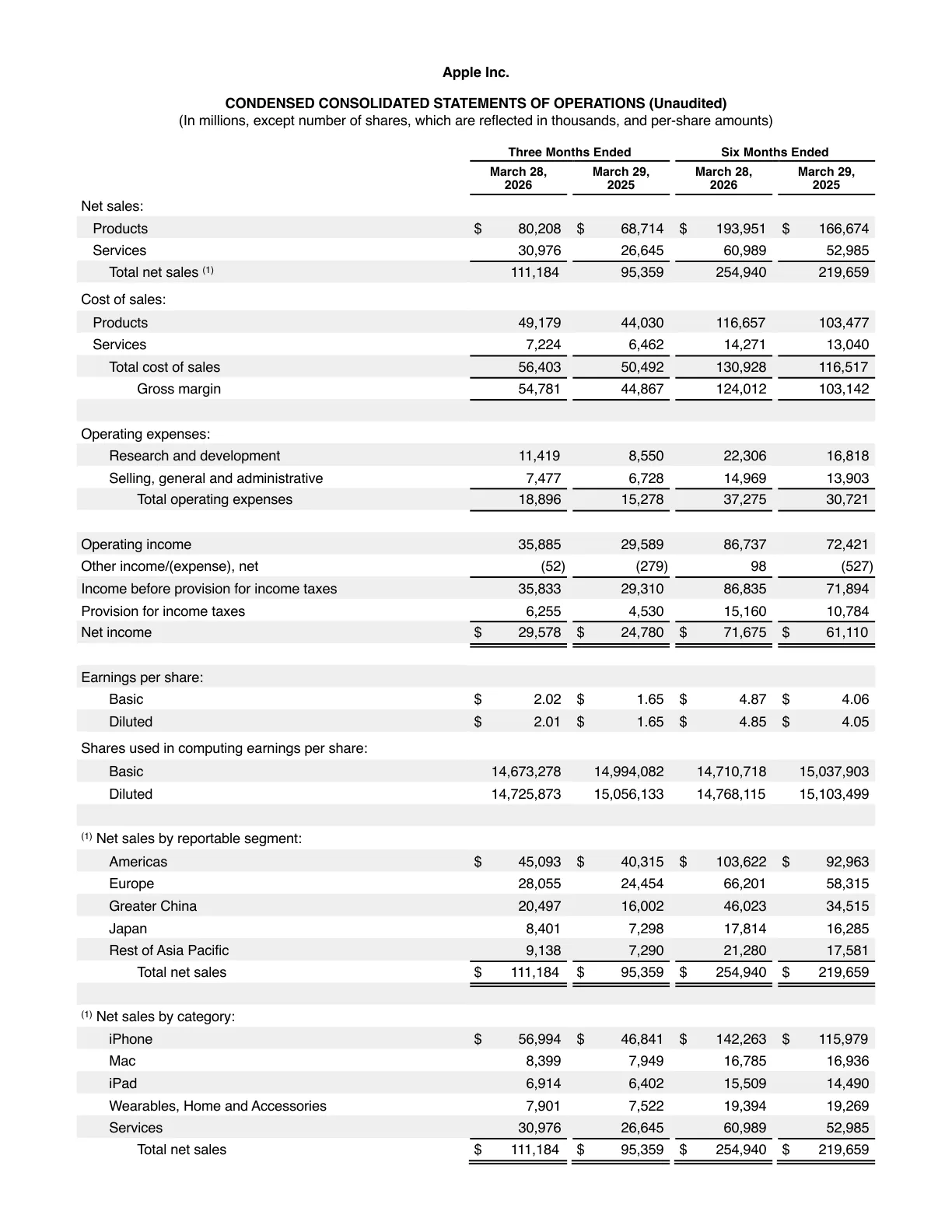
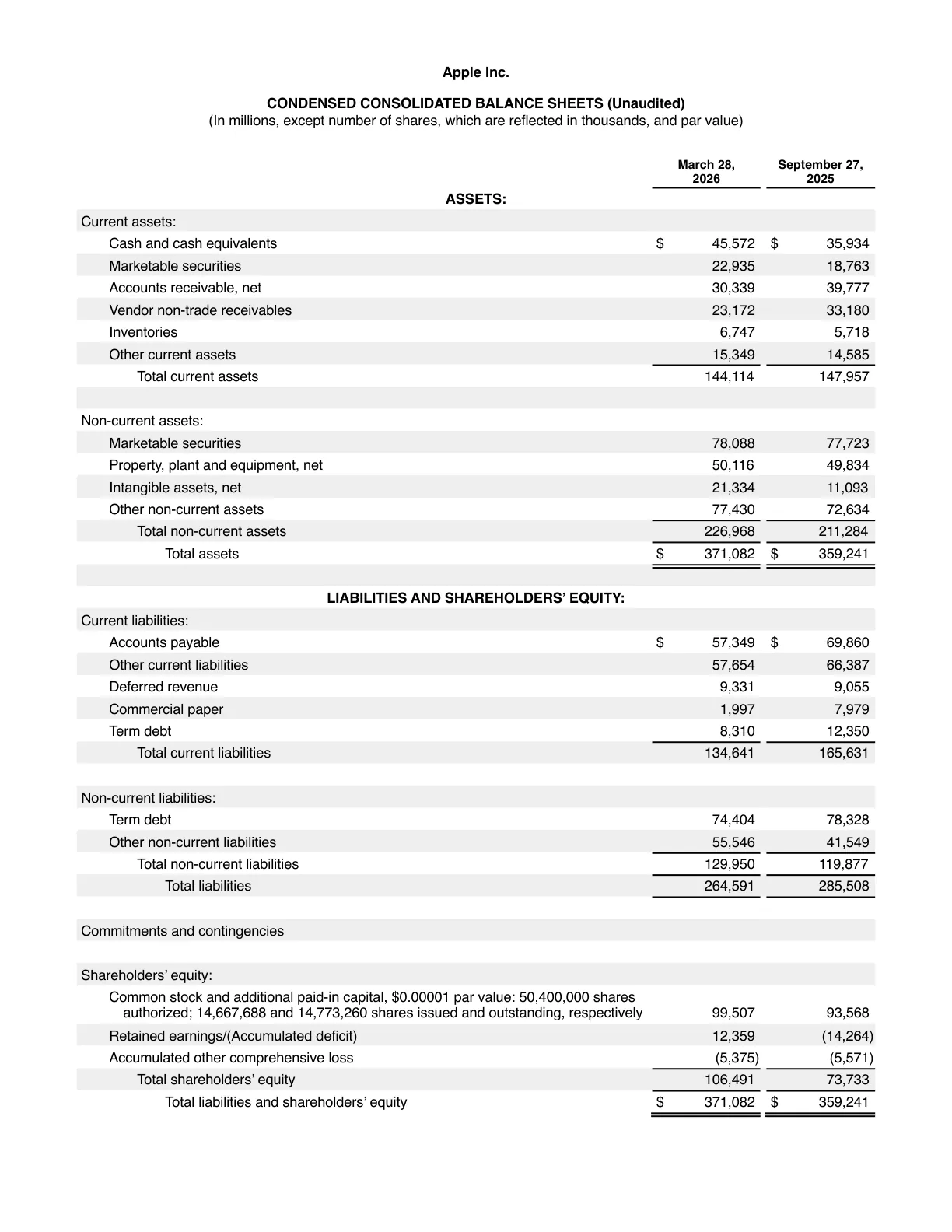
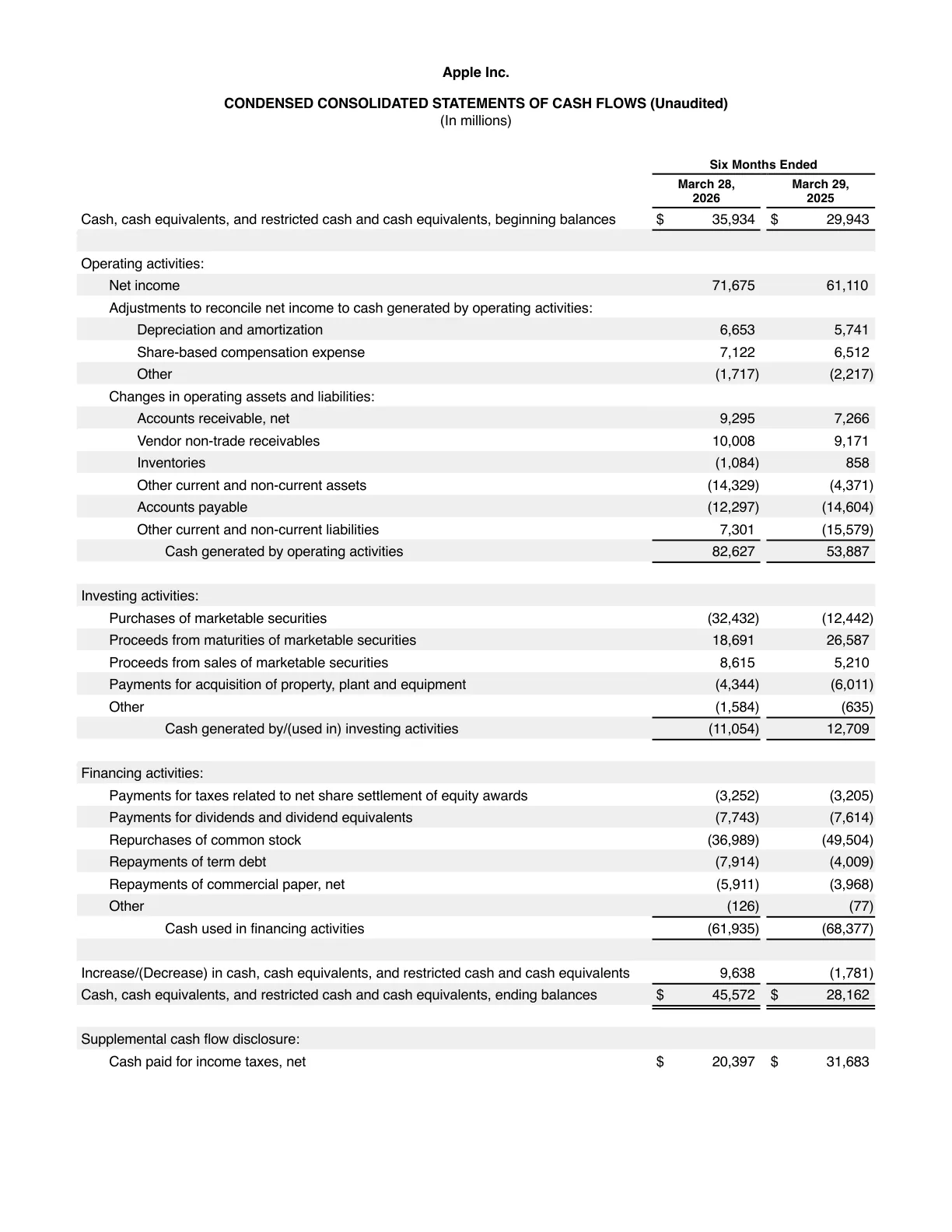
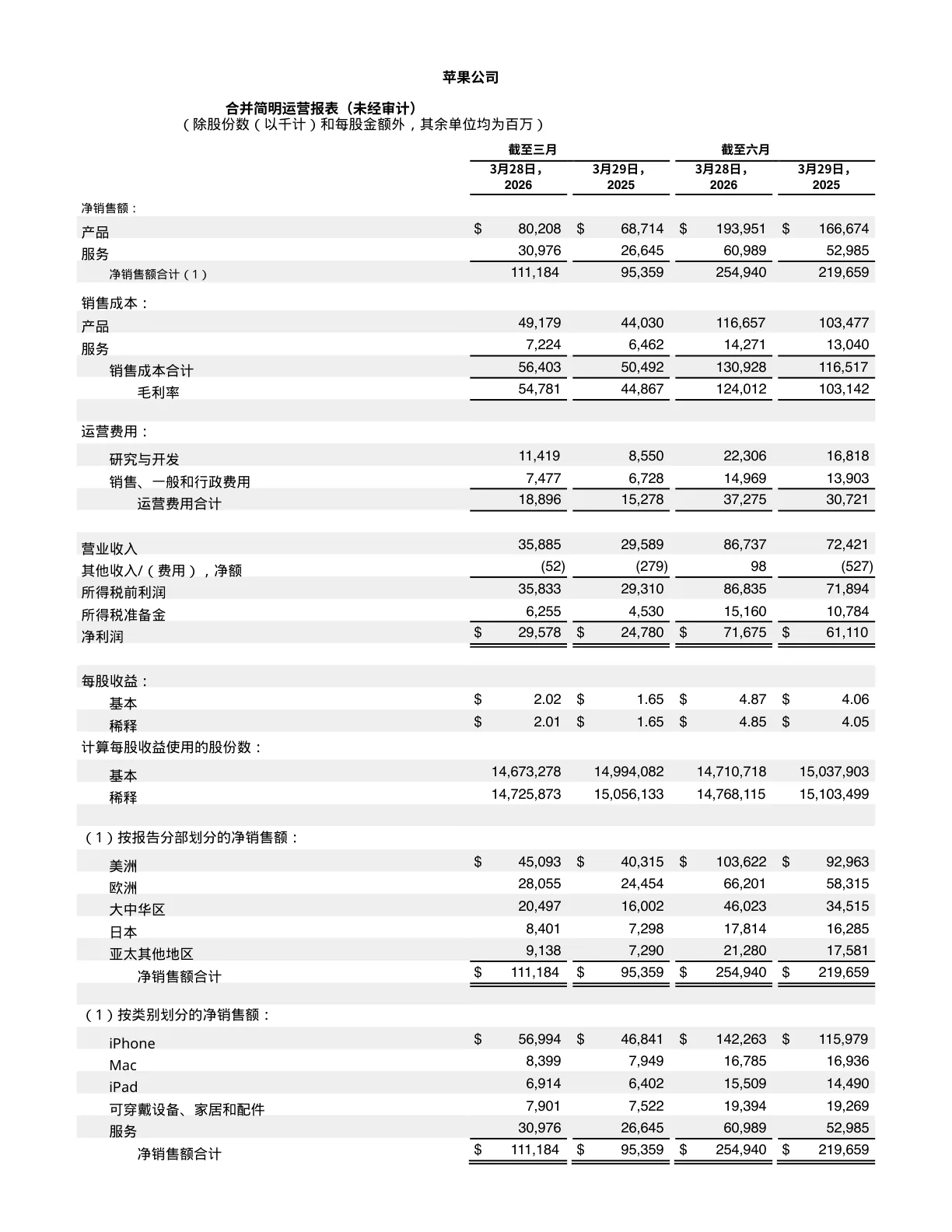
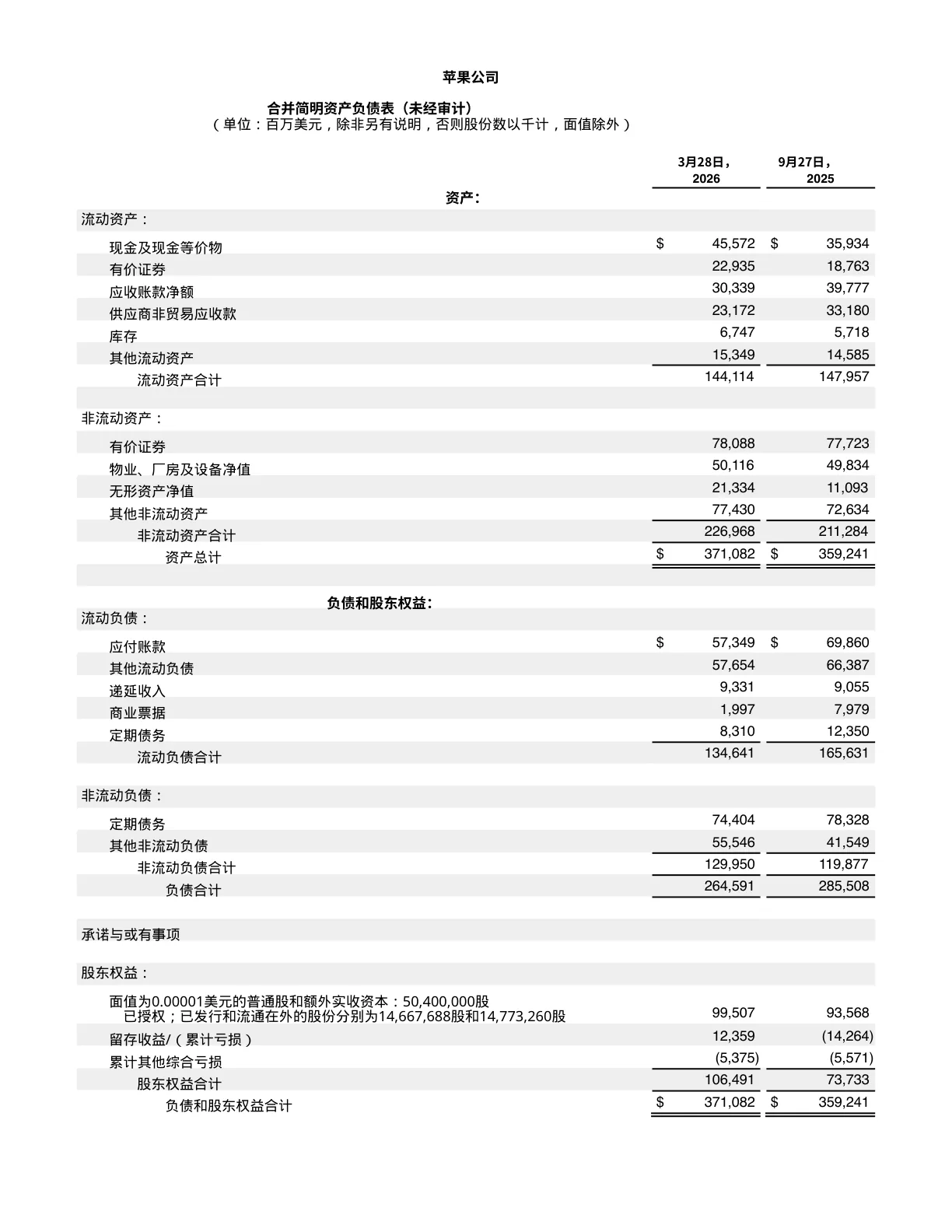
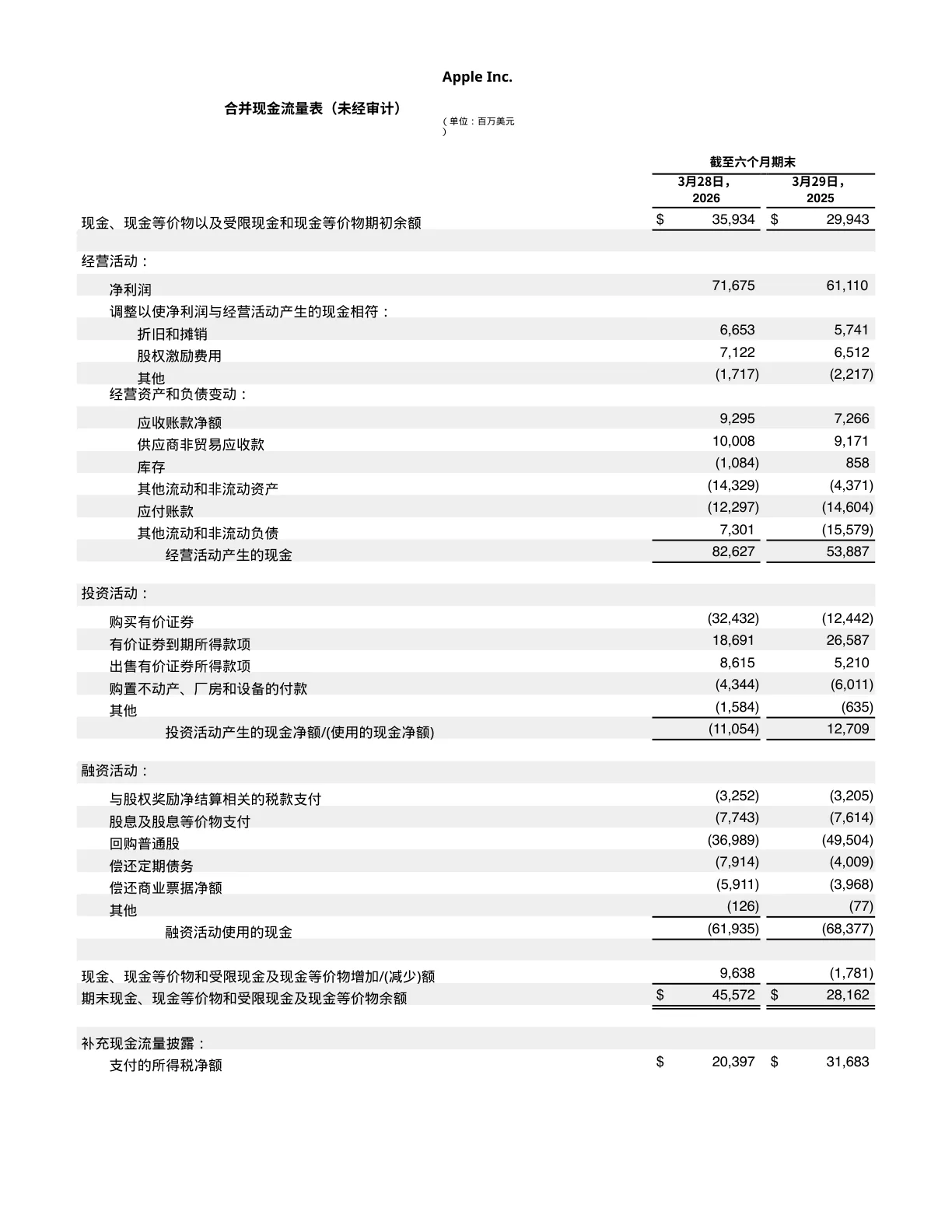
Two real PDFs run through TransKeep — Apple's Q2 financial statements and the paper that started modern AI. Scroll the original on the left, the translation on the right, and inspect the result: every column, table cell, footnote and formula stays in its exact original position.
Borderless shadow tables, dense financial columns, multi-column footnotes — numbers stay aligned to the digit.
Why translating PDF is uniquely difficult
PDF has no source — translators reflow everything
Most tools extract text and dump it into Word, losing the original columns, tables, footnotes and hyperlinks. The translated PDF needs full re-typesetting before it's usable.
Multi-column layouts collapse
Two-column reports, magazine layouts and academic papers become a single column of text. Tables get torn apart. Charts and figures lose their captions.
Fonts get lost on non-Latin scripts
Translating to Chinese, Japanese, Korean or Arabic usually shows tofu (□) because the original PDF's fonts don't have those glyphs. You have to embed new fonts manually.
Built specifically for PDF
In-place redaction
We redact the original text and rewrite the translation into the exact same bbox — every column, table cell and footnote stays in its original position.
Automatic font subsetting
Translating into CJK, Arabic, Hebrew or Thai? We embed only the glyphs you need from a script-appropriate font, so the output renders perfectly anywhere.
Hyperlinks survive
All clickable links in the original PDF are restored after translation. Display text is translated; the destination URL is preserved.
Native PDF output
Download a real PDF — not an image scan, not a Word doc. Searchable, copyable, ready to ship to clients, regulators or your team.
TransKeep vs. other PDF translation methods
| TransKeep | Generic Translators | Manual Translation | |
|---|---|---|---|
| Multi-column layout | Preserved 100% | Collapsed to single column | Manual re-typeset |
| Tables & charts | Preserved in place | Torn apart | Manually rebuilt |
| Hyperlinks | Restored end-to-end | Lost | Manual re-link |
| CJK / RTL fonts | Auto-embedded subsets | Tofu (□) glyphs | Font hunting required |
| Output format | Native searchable PDF | Word .docx dump | Manually re-exported |
| 100+ page documents | Streamed end-to-end | Crashes or truncates | Takes days |
Who uses TransKeep for PDF
Legal & compliance
Translate contracts, NDAs and regulatory filings while keeping clause numbering, footnotes and signature blocks exactly in place.
Research & academia
Translate whitepapers, theses and journal articles with two-column layouts, citations and figure captions preserved.
Product & technical writing
Localize manuals, datasheets and SOPs without redoing tables, diagrams or step numbering.
Finance & investor reports
Translate annual reports, prospectuses and pitch documents — every table, chart caption and footnote intact.
PDF translation FAQ
Text-based PDFs of any kind — reports, contracts, whitepapers, manuals, brochures, slides exported to PDF. Image-only scanned PDFs are not supported in this release (OCR is on the roadmap).
Yes. We use in-place redaction so each text block is rewritten in the exact same position as the source. Columns, tables, headers, footers and figures all stay where they were.
We automatically subset and embed a script-appropriate font (Noto Sans CJK, Noto Sans Arabic, etc.) so the translated PDF renders perfectly even when the original document had no glyphs for the target language.
Yes. After redaction, we restore all original link annotations. Display text gets translated; destination URLs are preserved.
The output is a native, searchable PDF — fully copyable and ready for downstream tools. For deep edits we recommend opening it in a PDF editor.
All transfers are SSL/TLS encrypted. Files are auto-deleted within 24 hours. We never use your content to train AI models.